
Google Design Sprint | House2Home
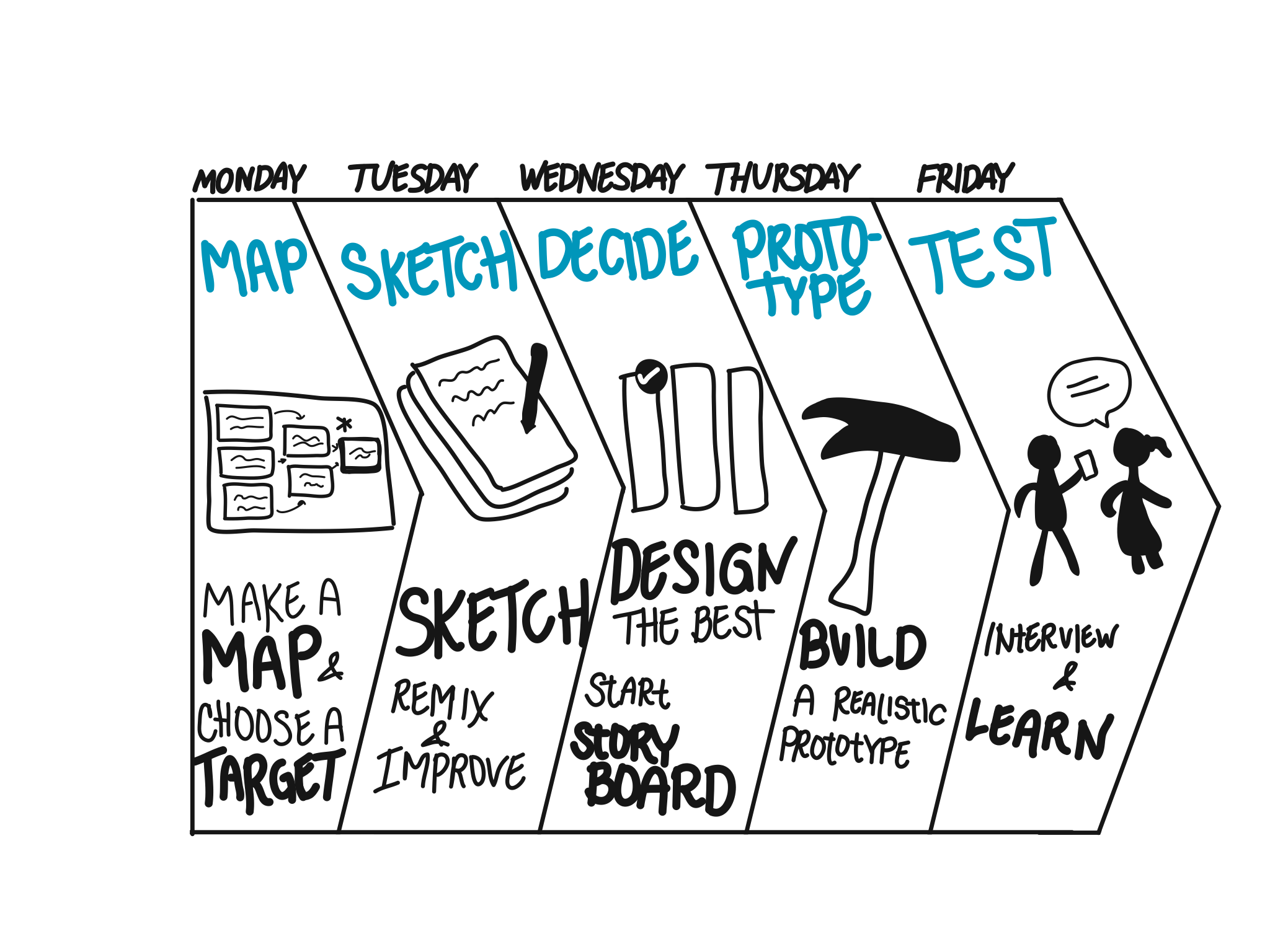
I look for different ways of improving my UX skills, and this time I decided to use the Google Venture Design Sprint process. It's a one-person sprint that I completed over 5 days. Bitesize UX prepared the "House2Home" sprint exercise by providing me the project brief, initial research highlights, persona, and a user interview video.
PROBLEM
Through customer surveys, House2Home has found that many of its customers have just moved into a new home or apartment. These users want to buy multiples items to personalize their new place - but, they don't feel confident doing it on their own. House2Home sees an opportunity to help people find a great "starter kit" of items to instantly decorate their place. In this hypothetical scenario, House2Home brought me on board to run a design sprint to quickly test out a possible solution.'
DESIGN CONSTRAINTS
The solution should be design as a mobile app.
Focus on helping users that want a "starter kit" of multiple products to decorate a new apartment
Most House2Home products are $10-$50. They only see decorative products and accessories.
My Role
UX Designer
Tools
Pen, Paper, Adobe Illustration Draw, Sketch, Principle
Timeline
5 days
DAY 1
Understand.
Discover the problem and the user’s pain points and goals
Pick an important area to focus
Map a possible end-to-end experience of user using the product

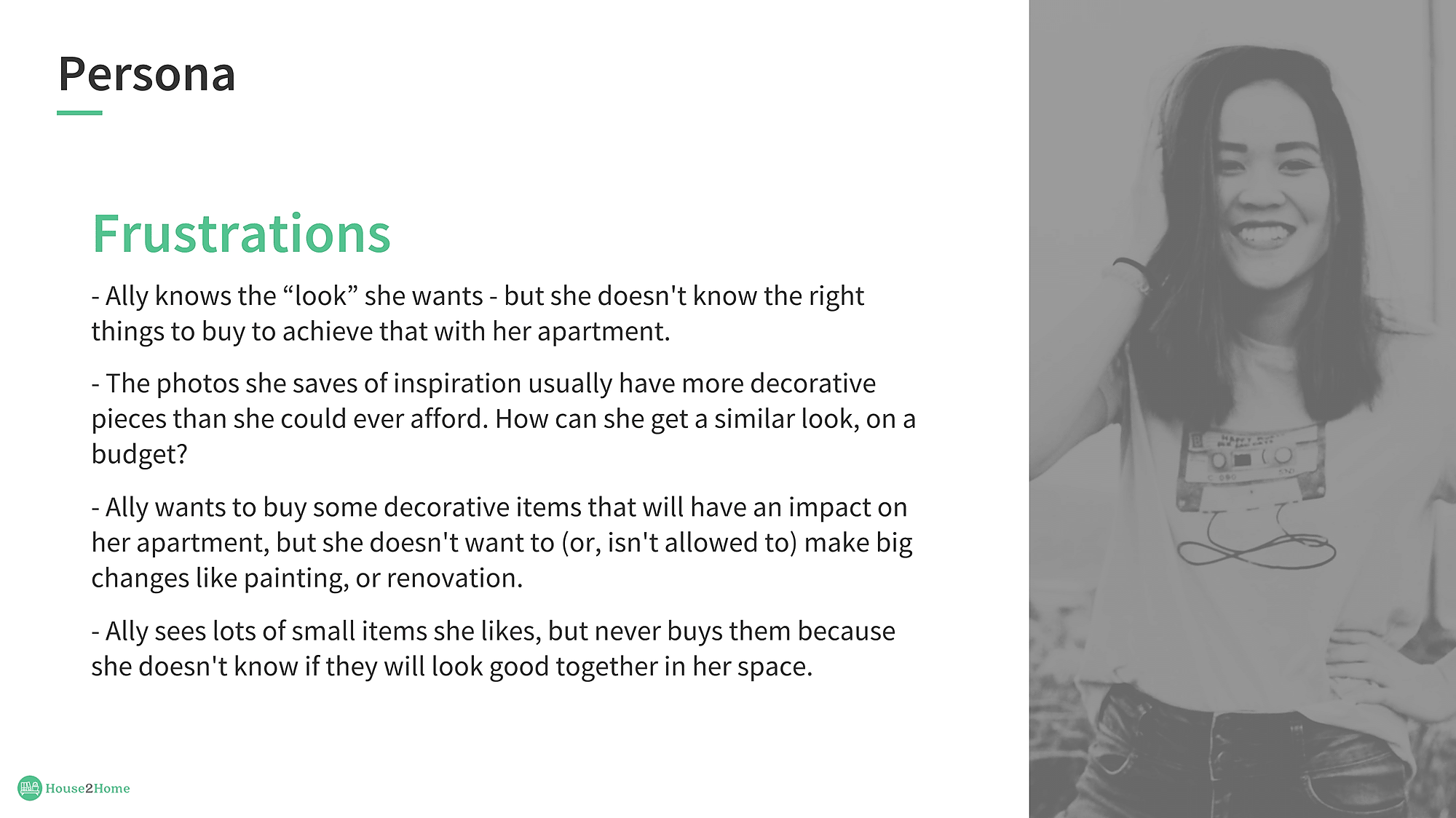
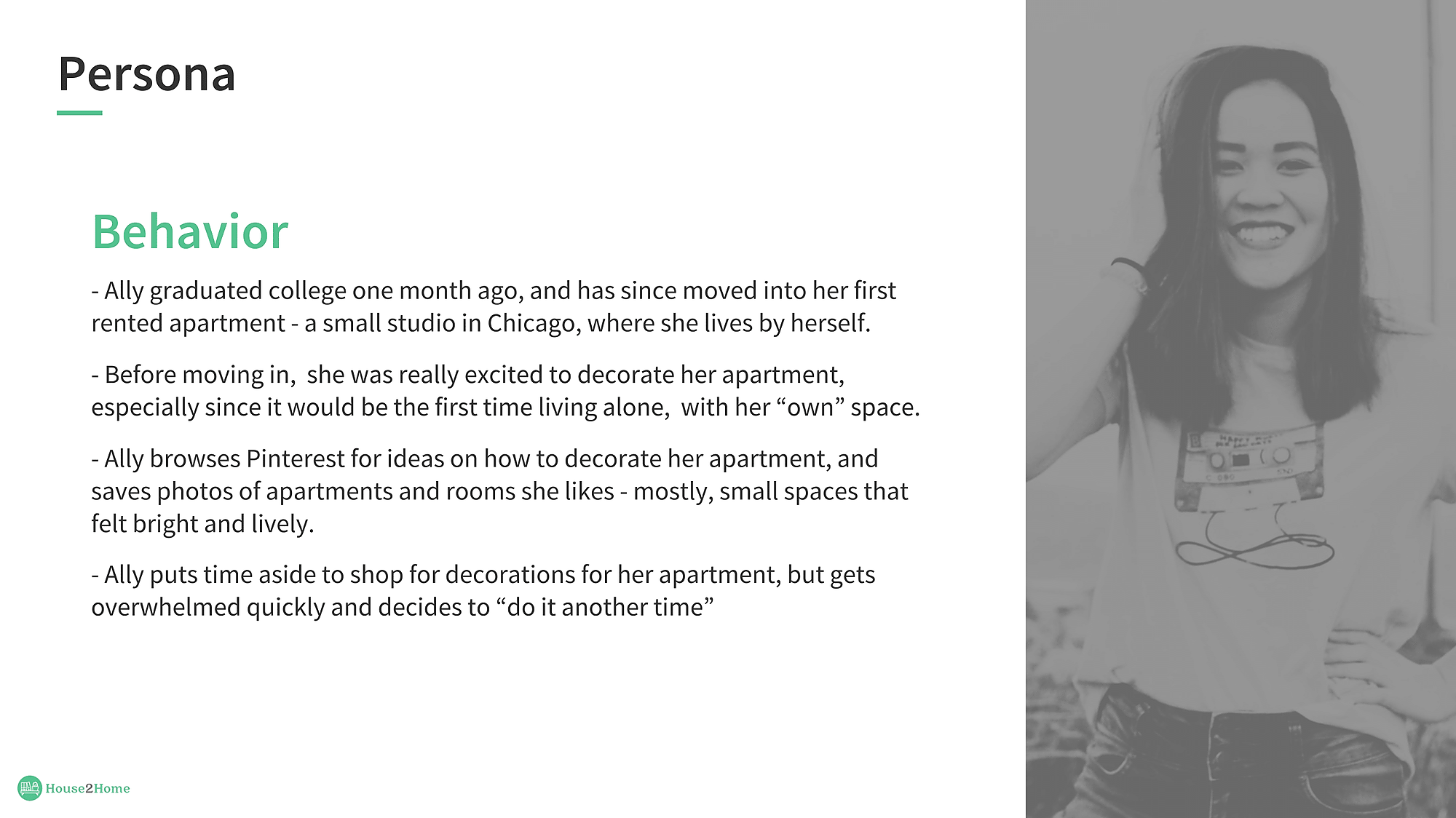
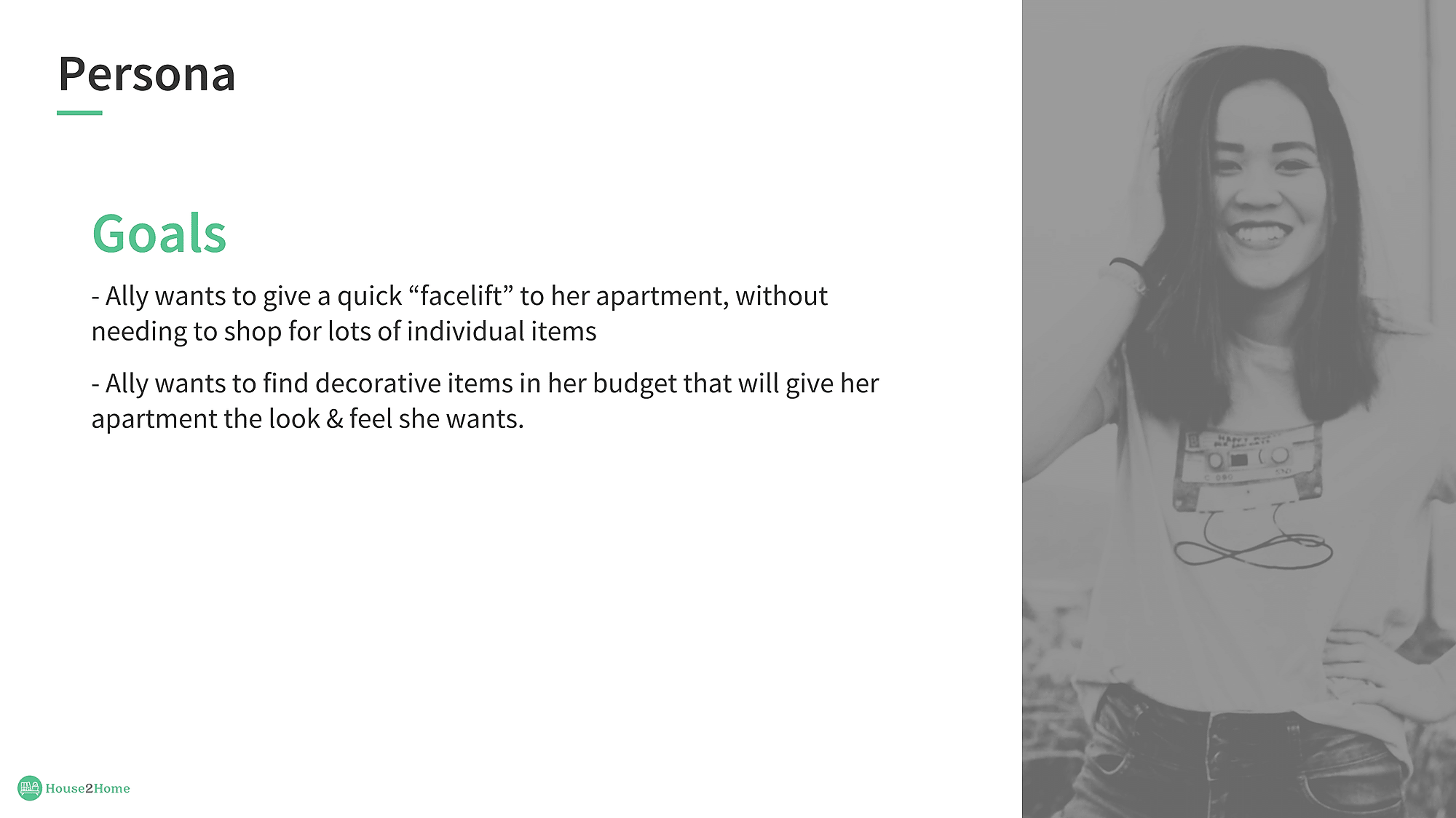
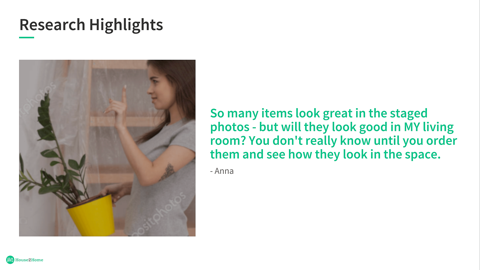
User highlights
Ally knows the "look" that she wants
Ally is unsure of how items will look together
Ally gets overwhelmed quickly when shopping for decorations
Ally wants to give a quick "facelift" to her apartment.
Ally wants to find decorative items in her budget.
What questions did I want to answer? (How might we statement?)
HMW we help our users search for items that they love and aligned with their budget?
HMW ensure our users not to feel overwhelmed when looking for decorative pieces?
HMW instill confidence in our user when pairing decorative items?
HMW guide our users through their search and purchase process in an informative, engaging, and enjoyable way?
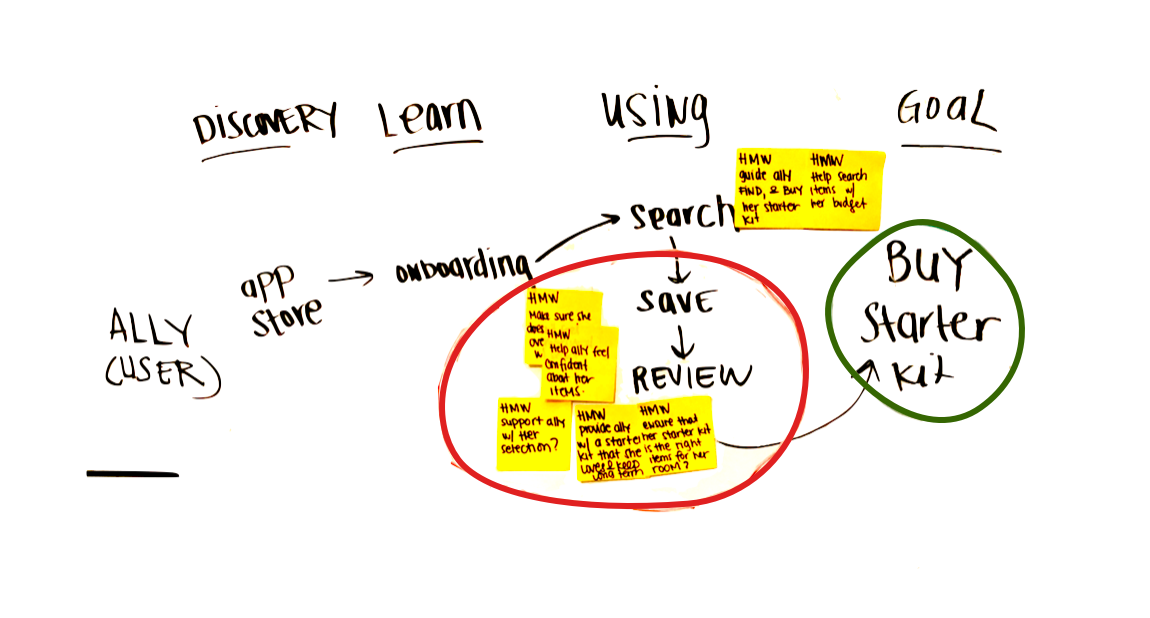
Map & Target
After understanding the problem and the persona, I created this map to really figure out where the problem areas are and where I should focus so that I can create a solution for that target area.
DAY 2
Ideate.
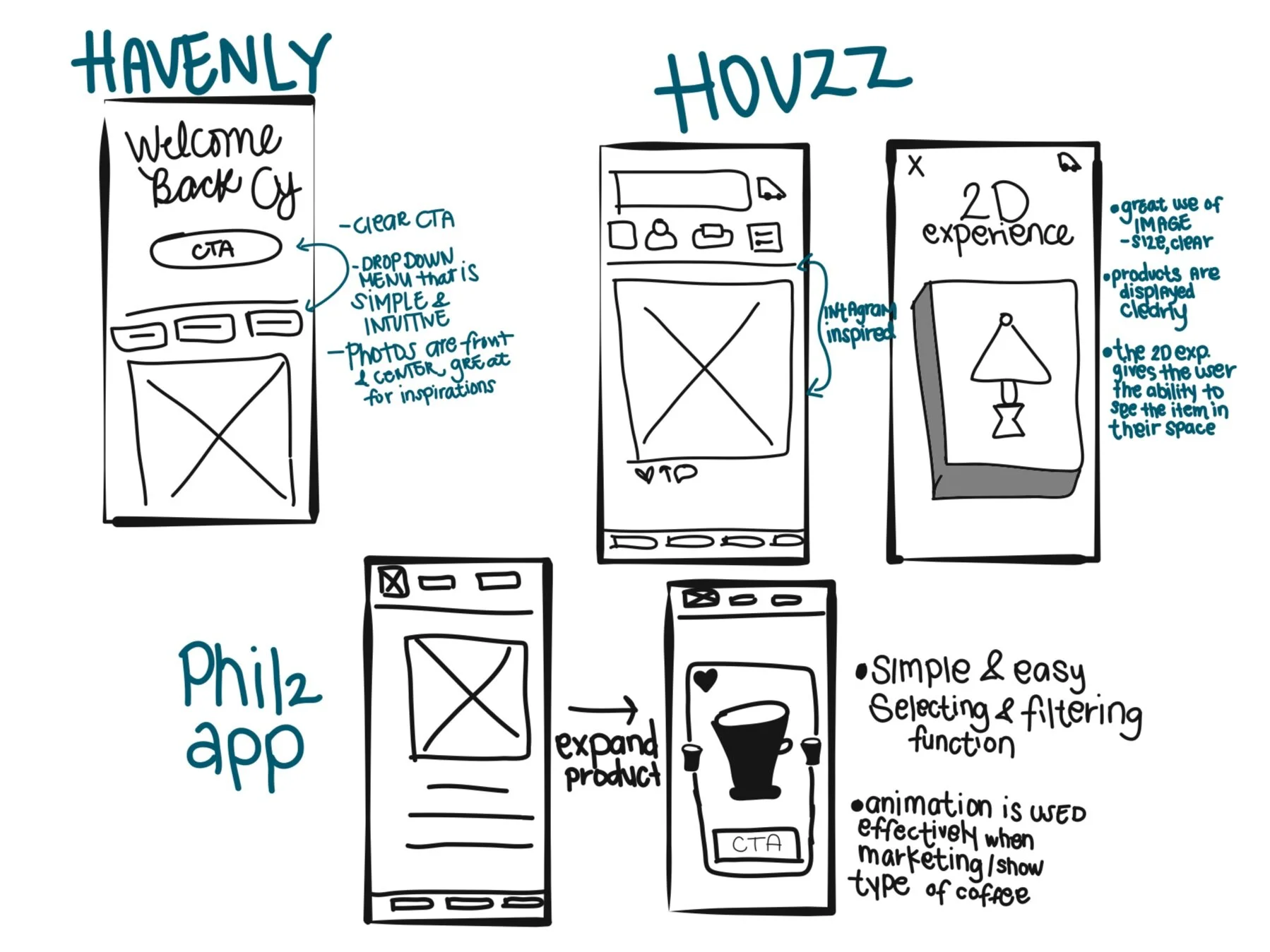
Lightning Demos - Competitors Analysis
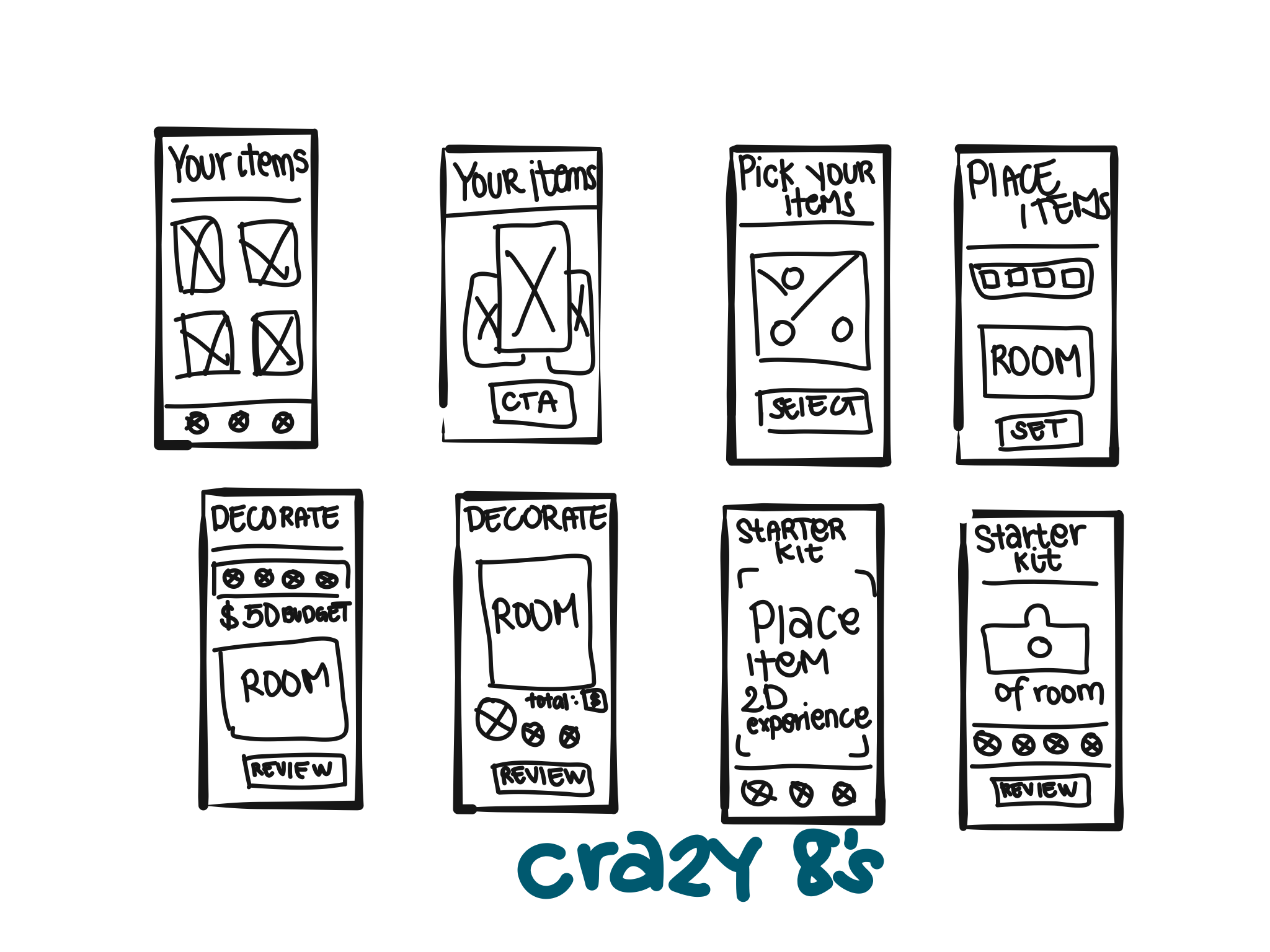
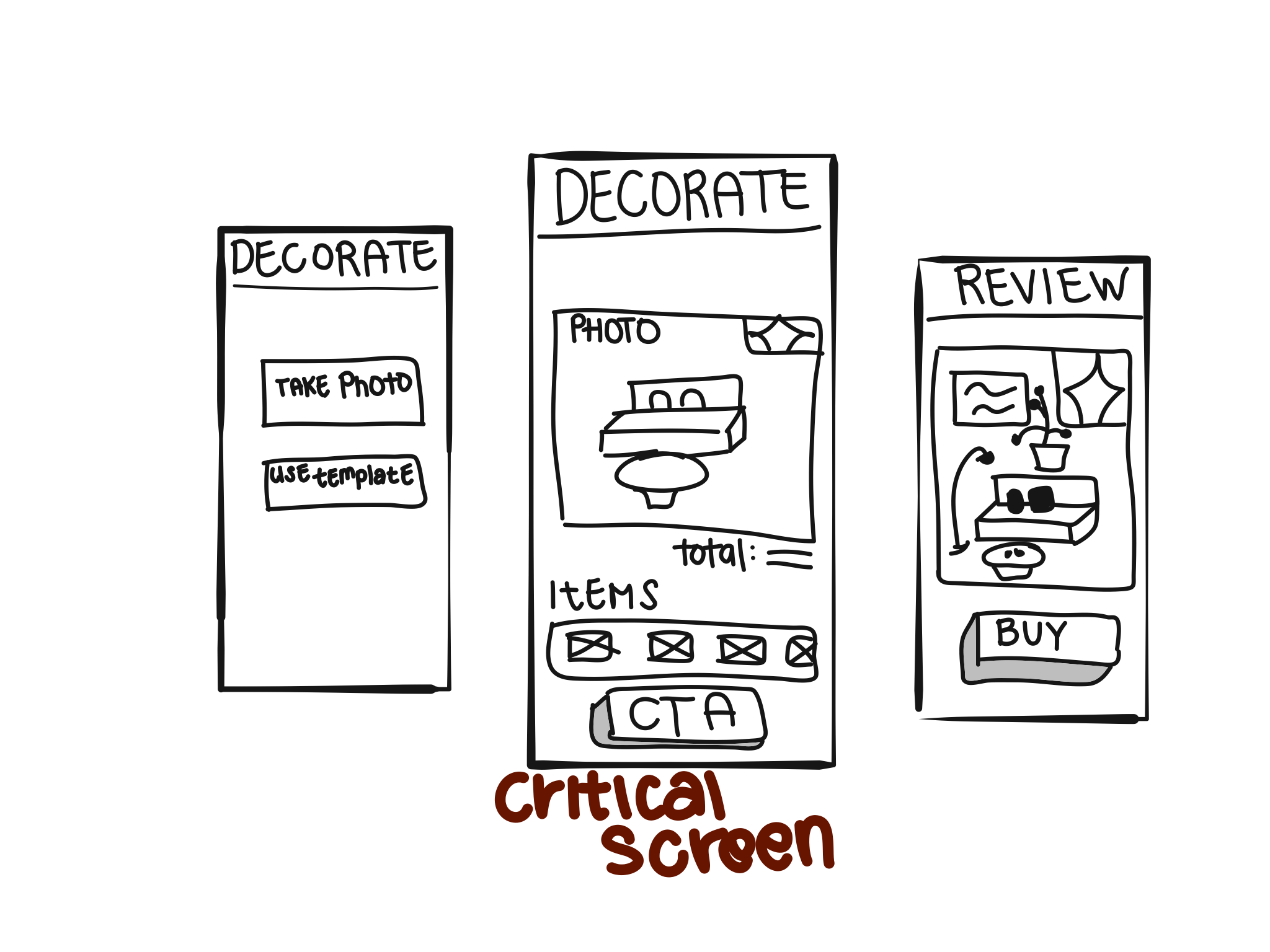
Crazy 8’s - Sketching possible solutions
Create a solution sketch by focusing on the key screens.
DAY 3
Decide.
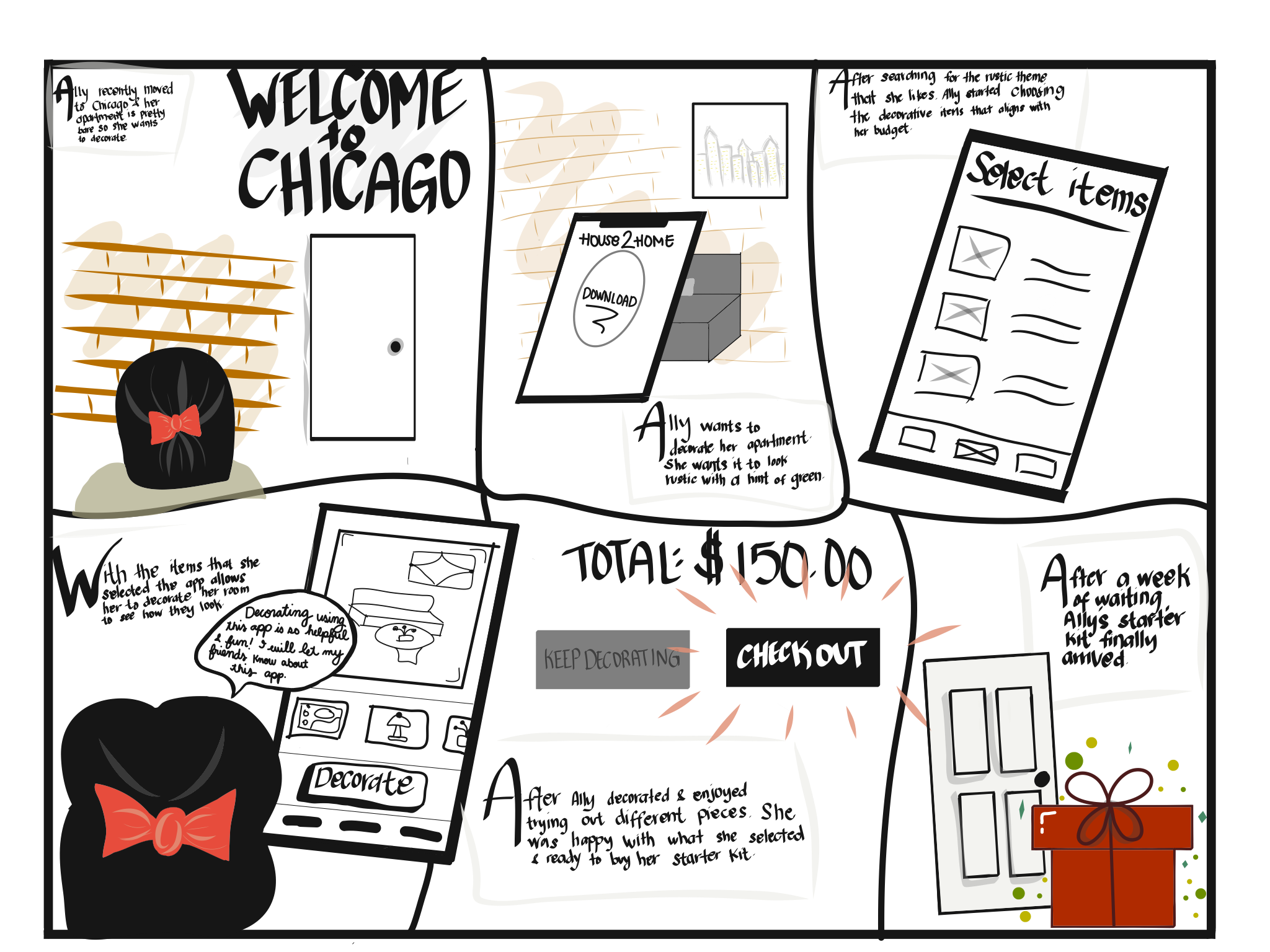
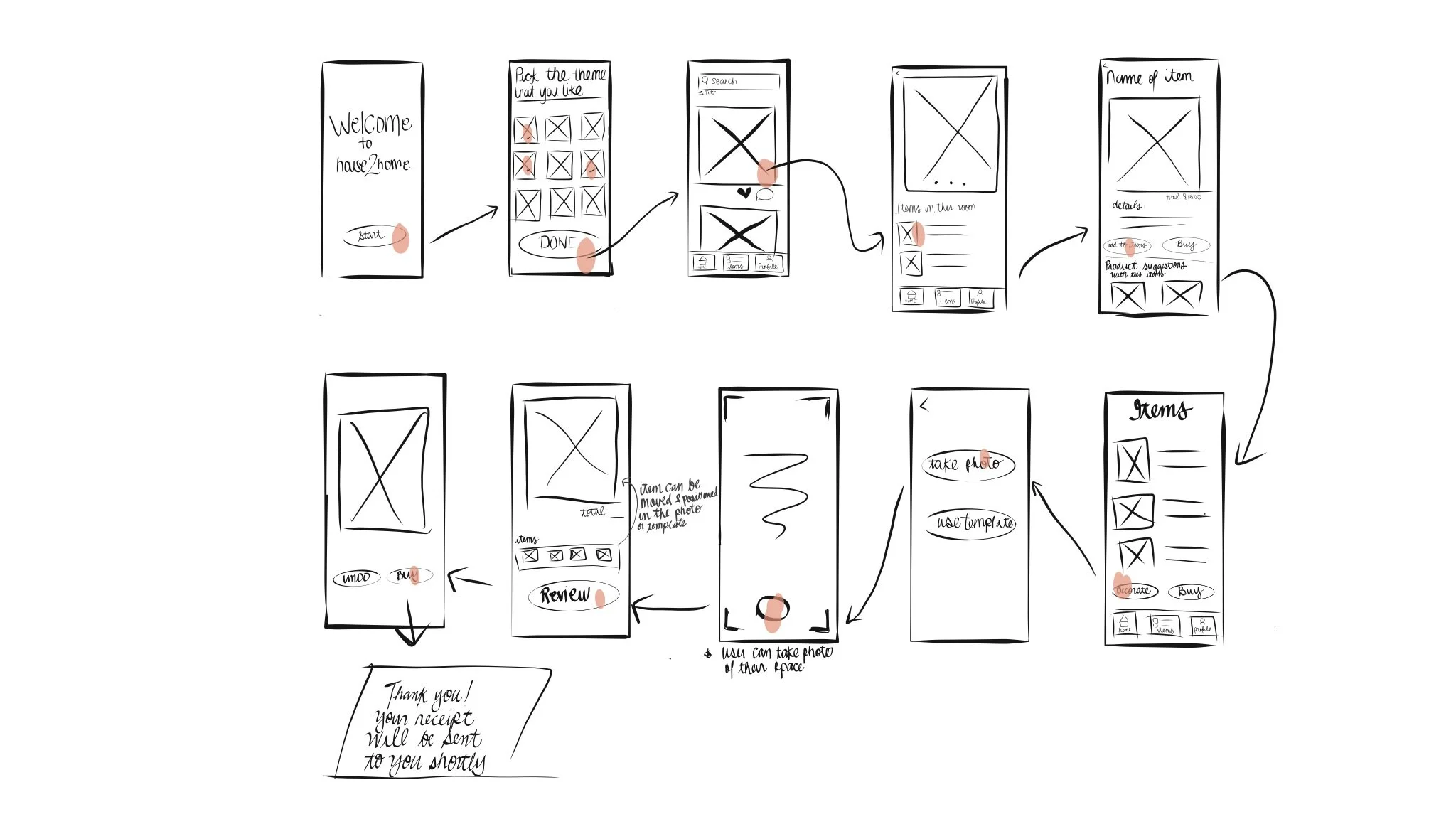
Make decisions and turn your ideas into a testable hypothesis.
Create a storyboard
DAY 4
PROTOTYPE
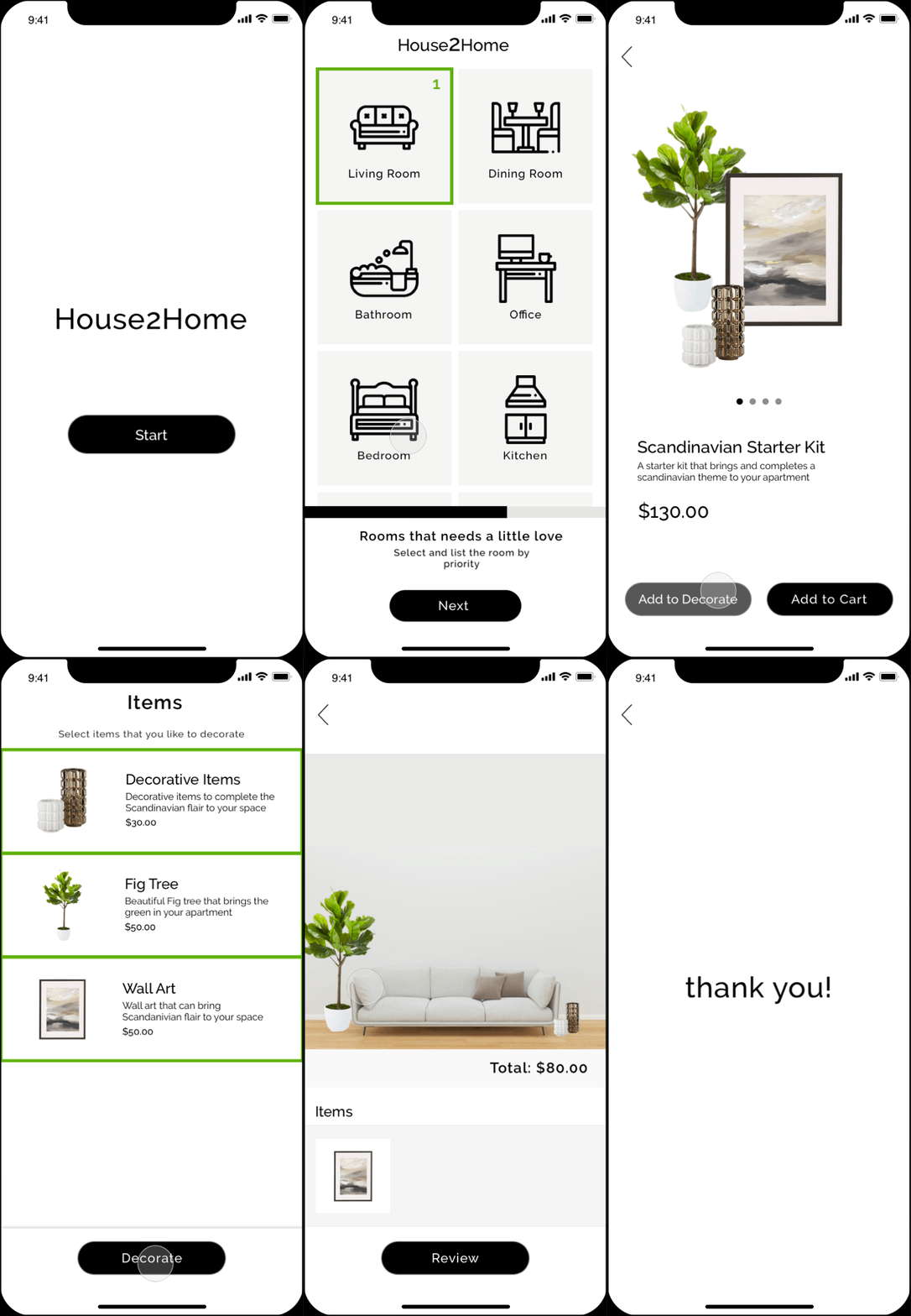
Hack together a realistic prototype
DAY 5
Test
Get feedback from real live users
Validate assumptions and learn
I used Principle to create my prototype and invited participants to test the app's functionality and usability.
Then task I gave them to complete:
"You just recently moved into a new apartment, and you wanted to spice up your new space. You downloaded the House2Home app and wanted to find items for your apartment. Using the app, find the Start kit that you love and evaluate to ensure that you have the right items for your space?"
All participants completed the task and said that it is easy and engaging.
All participants loved the decorating function and that they enjoyed placing the items in the space.
Many participants said they would use the app and found the help helpful specially when the item total cost shown when decorating.
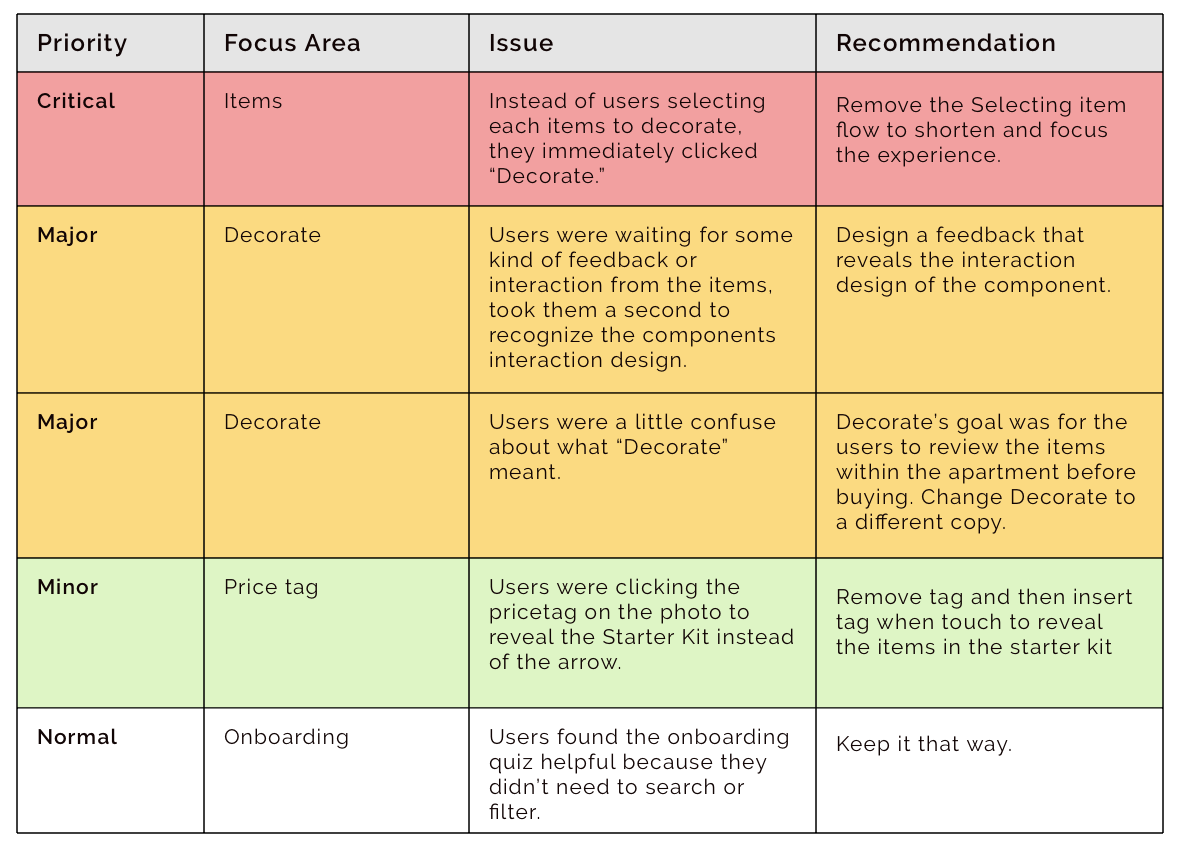
However, some areas needed improvement. I created a table and organized the items by their priority.
DAY 6
Iterate and learn
Although this was a 5 day sprint, I wanted to add another day to update the design based on the feedback that I received from the participants.
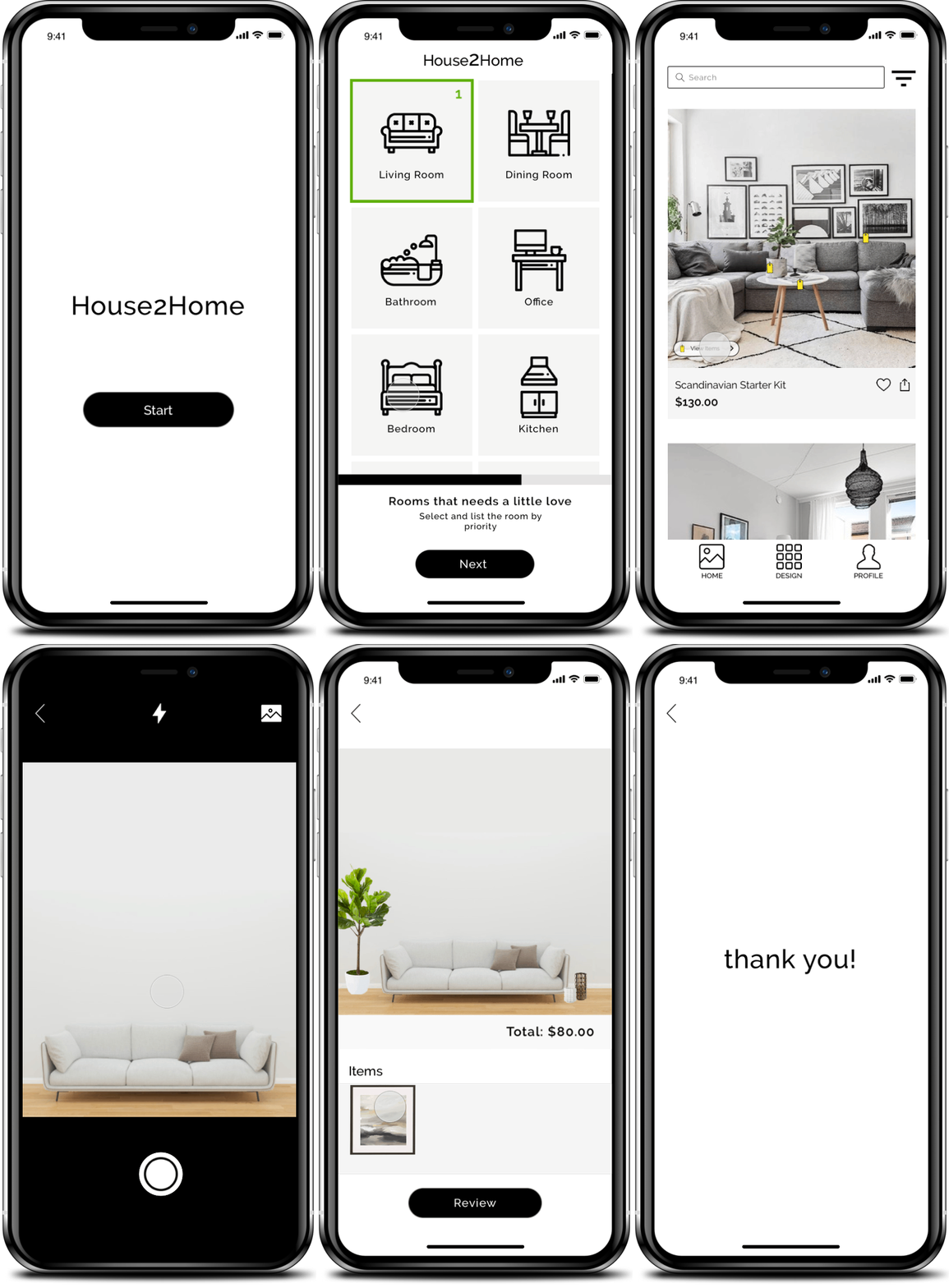
Renamed Decorate to Design
Redesign the prototype and enlarge the item image to indicate the users can drag move item.
Removed the function of selecting items to decorate and just move straight to the decoration and items pairing page.
Increased the size of the tag icons and added a button for users to view the starter kit.
GOOGLE VENTURE SPRINT TAKEAWAYS
There are a lot of benefits from running a GV sprint. It's a process that solves design problems quickly, a great collaboration tool, an agile practice in a design viewpoint, and, most importantly, allowing designers or stakeholders to fail early and learn. I enjoyed completing this project and happy that I learned a lot. I can definitely see myself doing this again and very excited to see how I can use this methodology to solve design problems in the future, especially with a group of talented designers/team members.